Thursday, April 30, 2015

Final Project: Local Old Boston State House

Below are screen caps of my creation of the Old Boston State House locally, on my computer in Minecraft.

It measures about 120' long, but about 36' wide. I used approximately 40 blocks by 12 blocks.

My Blank Canvas...

Gotta lay the foundation, it's almost pouring out!


Not too bad

The outer shell. Sturdy man, sturdy!

It's starting to look like a Statehouse...for real.

Gotta hurry up! the sun is going down!

Birds eye view of the outer shell

The basic shell. Now to build the dormers!

One side DONE

The inside. I added some torches for light, and structural brick beams for support 

It's getting there


The dormers came out OK. 

The sun setting on my State House


Birds eye view of the finished product. I like it

Ant's eye view from the ground


This is Building the Old Boston State House in Minecraft. It is a final exercise from the Immersive Education course that I am taking at Boston College. The course is called Discovering Computer Graphics. For details, visit the immersive BC portal at http://ImmersiveEducation.org/@/bc

Thursday, April 23, 2015

My Final Building Area

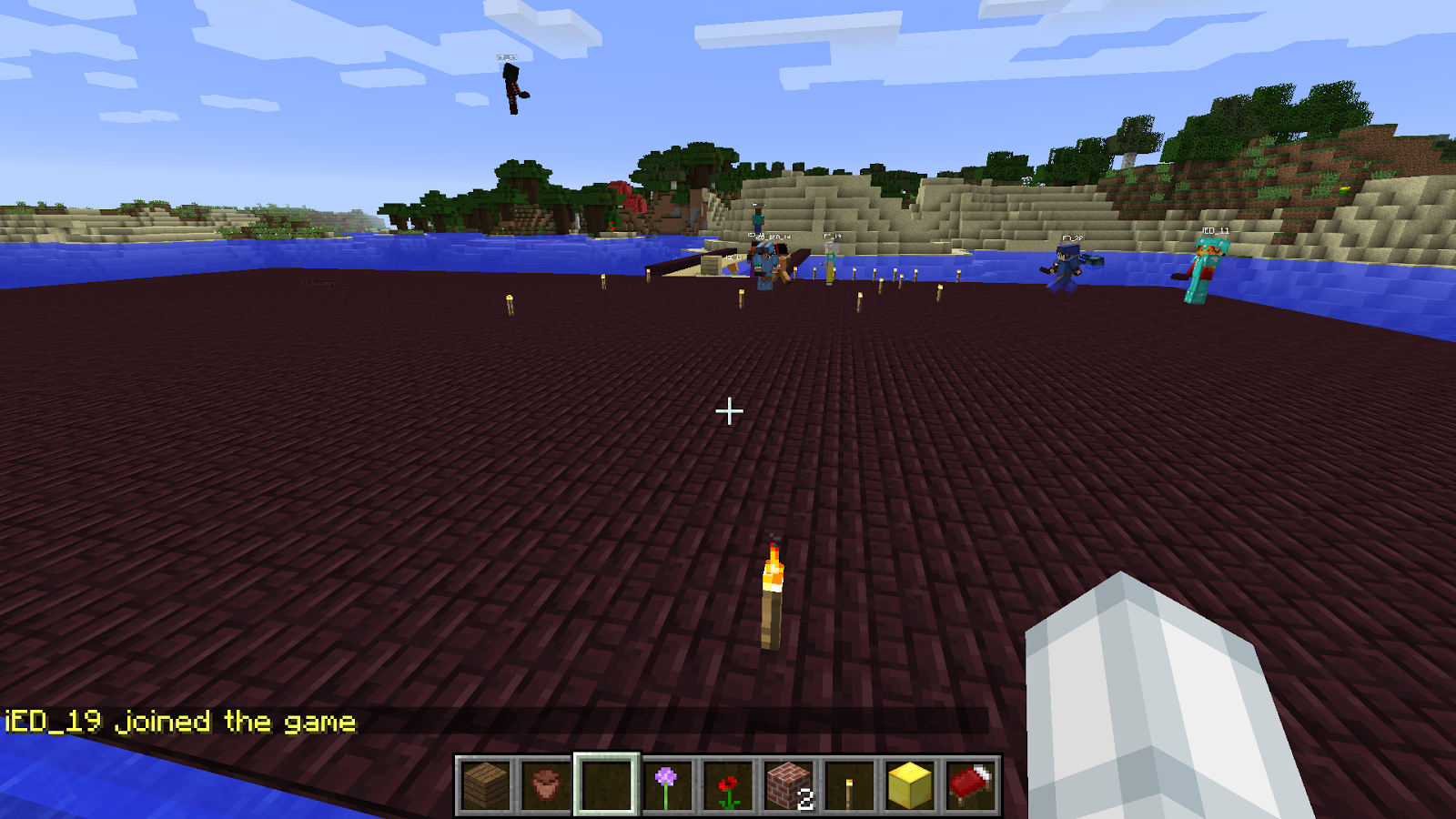
Below are the coordinates, in Minecraft, where we are going to build our Old State House

The Coordinates are 500, 111, 741


Below are Screen shots and a Group picture of the builders gathered together as well as some images of our progress so far


 credible state house material -Dimensions, blueprints, etc

http://libguides.bc.edu/c.php?g=44057&p=279813


The dimensions of the Old State House are 118'long  X 36'wide


A great source for navigating with coordinates in Minecraft is below

http://minecraft.gamepedia.com/Coordinates

Wednesday, April 22, 2015

Class 12: How 3D Computer Graphics Work

3D Graphics are practically everywhere you look these days. TV commercials, video games, and especially today's blockbuster movies use some form of 3d generated graphics. What are 3D graphics? And what do all of those technological software terms really mean?


The most basic element of any 3D geometric shape is a vertex point. Vertex points are points that lie in the 3D space along the X,Y, and Z axis. When associated or connected together, these vertices form a polygon or 3D geometric shape. The most basic and most common common polygon is the triangle. Triangles, as you know, consist of only 3 vertex points. Any 3D model you see, is basically made up of thousands, if not millions of polygons and 3D geometric shapes. These polygons form polygon mesh models that can be posed, animated, and shown with different textures and lighting that make them look VERY real. The smaller polygon count an object has, the simpler, and more blocky it will look. The larger polygon count an object has, the smoother, and rounded an object will look. See example picture below.


Lighting is also very important in 3D graphics. In addition to a higher polygon counts, effective lighting on a model is key in making it look ultra realistic. In the early days of 3D games, objects didn't include a lighting source. They were just self illuminated objects. These days, the use of external dynamic lighting and shading adds a layer of realism that casts volumetric shadows on objects and characters.


Every well lit 3D character needs Normals. Normals are basically a perpendicular line drawn up from the face of every 3D polygon on an object. These normals help the object and 3D software calculate the lighting and proper placement of shadows. If the normal of the polygon is facing the light, or close to the light, that polygon will be well lit. If the normal is to the side, or far away from the polygon, it will appear darker or shadowed. See picture below.


Another important feature of making an 3D object look ultra realistic, is Texture Mapping. Texture mapping is done by adding a 2D image, or a 2D texture to the surface of the 3D object or polygon. Texture mapping can give an object that next-level of detail. It can make that brick wall, or stone road, look like it's been there for years. Texture mapping can make that metal shed look all weathered and that army tank look rusty.  See examples below of objects that have been texture mapped.


 With the use of  hi-res polygon models, normals, effective volumetric lighting, and texture mapping. you can turn a lot of simple triangles into a badass scene or action figure. 3D graphics are going to be around for a LONG time. I hope this helped you understand some of the basic terms and concepts.

Tuesday, April 14, 2015

WebGL Chrome Experiments FAIL IN FIREFOX

Even Though WebGL is meant to be cross browser, It is not totally compatible in ALL browsers.  This post is to list which WebGL experiments (that our classmates chose) will work in the Firefox browser, and which ones will NOT. I've included some Screen caps for your convenience even though not required.

My Three WebGL experiments all worked in the Firefox browser. In fact, ALL of the experiments I tried on my version of Firefox worked!  They are listed below;

The Cathedral. - WORKED

Xibalba. - WORKED

A Journey Through Middle Earth - WORKED

Some other classmates Experiments that I tried are;

Gravity 3D -- WORKED

Amiga Boing Balls - WORKED

Endurance Interstellar - WORKED

Graffiti General - WORKED

Instant Mesh - WORKED

CubeRunner - WORKED

Volumetric Particle Flow - WORKED

Eye Texture Raytracer - WORKED

Umalizer -  WORKED

FPV CODE - WORKED

InstaMusicBox - WORKED

Downloading Firefox. I liked it!

Worked, No problem

Worked, No Problem

I had NO FAILS in FIREFOX